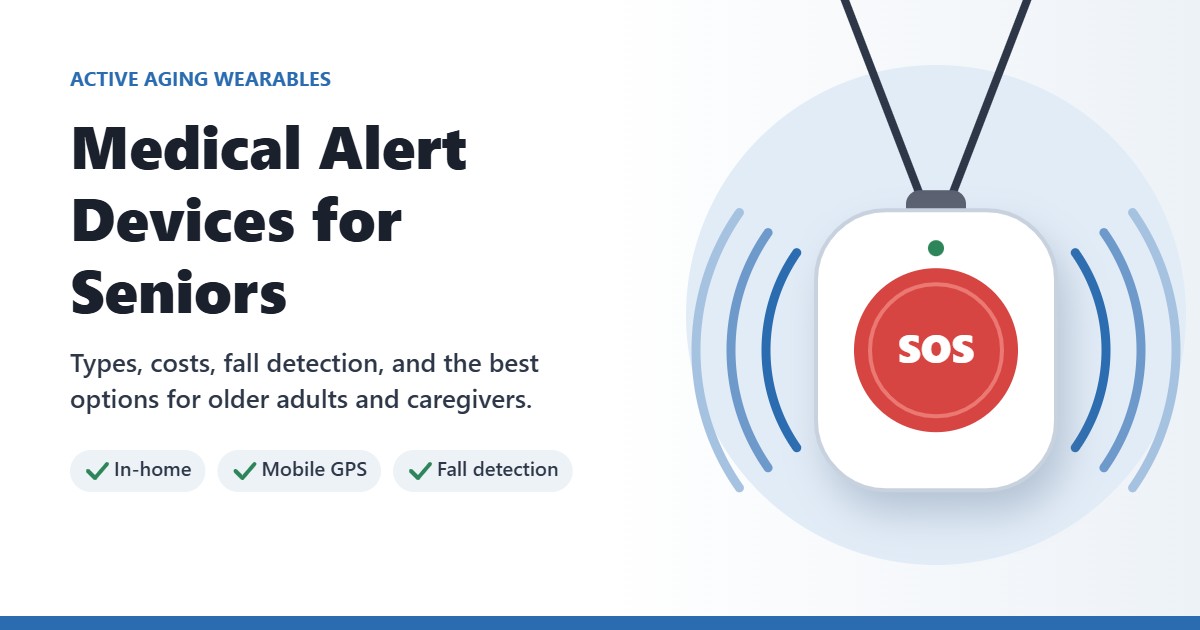
Medical Alert Devices for Seniors: Types, Costs, Fall Detection and Best Options
The best medical alert device for an older adult is one they will actually wear, that reaches help quickly, and that fits where they spend their day. For someone who is mostly at home, an in-home system with a wearable button may be enough. For someone who drives, walks, or lives alone and gets out often, a mobile device with GPS is usually the better choice.
Medical alert systems are often called “Life Alert” style devices, but there are now many companies and several types of devices. Prices, contracts, fall detection fees, and battery life vary more than most families expect.
This guide explains the main types of medical alert devices, what they cost, how fall detection really works, and which options are worth considering in 2026.
Affiliate disclosure: This article contains affiliate links. As an Amazon Associate I earn from qualifying purchases. I may also earn a commission from other partners, such as LifeFone. This does not affect the price you pay. Read our full affiliate disclosure.
This article provides general information and is not medical advice. A medical alert device does not replace emergency planning, fall prevention, or guidance from a healthcare professional.
What Is a Medical Alert Device?
A medical alert device is a wearable button, pendant, wristband, or watch that lets a person call for help with one press. Most systems connect to a 24/7 monitoring center. A trained operator answers, talks with the user through the device, and calls family, a neighbor, or emergency services as needed.
Some devices also offer automatic fall detection, GPS location, and a caregiver app that shows alerts, battery level, or location.
Who May Benefit Most
- Older adults who live alone or spend long periods alone
- People who have fallen before or feel unsteady
- People using a cane, walker, or wheelchair
- Adults recovering from surgery or a hospital stay
- People with conditions such as Parkinson’s disease, epilepsy, heart conditions, or memory problems
- Caregivers who want a dependable way to know when help is needed
The Four Main Types
| Type | Best for | Main consideration |
|---|---|---|
| In-home system | People who spend most of their time at home | Only works within range of the base station |
| Mobile device with GPS | People who drive, walk, shop, or travel | Needs regular charging and cellular coverage |
| Medical alert smartwatch | People who prefer something that looks like a regular watch | Usually needs daily charging |
| No-monthly-fee button | People on a tight budget with reliable family nearby | Calls family or friends, not a monitoring center |
In-Home Systems
An in-home system has a base station with a speaker and a wearable button. Older systems used a landline; most newer ones use a built-in cellular connection. AARP’s 2026 testing found in-home ranges of about 1,000 to 1,300 feet for leading systems, which covers most homes and some yard space.
Mobile Devices With GPS
A mobile device works inside and outside the home. It has a speaker, a cellular connection, and GPS, so the operator can see where the user is. Battery life varies widely, from under two days to more than two weeks.
Medical Alert Smartwatches
Some companies now offer watch-style devices with an SOS button. They look less clinical than a pendant, but most need daily charging. If you are considering a regular smartwatch instead, see our guide to smartwatches with fall detection.
No-Monthly-Fee Buttons
No-monthly-fee alert buttons call or text a list of family members or friends instead of a monitoring center. They cost less over time, but they depend on someone answering the phone. They are usually not a good choice for someone who lives alone with no one close by.
What Medical Alert Systems Cost in 2026
Most monitored systems charge a monthly fee. Based on 2026 pricing published by AARP and The Senior List:
- Monthly monitoring: about $25 to $43 per month to start
- Fall detection: usually about $5 to $15 more per month
- Equipment: free with some in-home plans, or roughly $80 to $200 for many mobile devices and smartwatches
- Discounts: some companies charge less if you prepay for a year
Original Medicare does not cover medical alert systems. Some Medicare Advantage plans may offer coverage, and the VA may help qualifying veterans. Some families can use HSA or FSA funds, depending on their plan. Check with the plan directly before buying.
Prices change often. Always confirm the current monthly fee, equipment cost, fall detection fee, and cancellation terms before you sign up.
How Fall Detection Really Works
Fall detection uses motion sensors to recognize a sudden drop followed by a lack of movement. If the device detects a likely fall, it contacts the monitoring center automatically, even if the user cannot press the button.
It is a helpful safety net, but it is not perfect:
- No fall detection system catches every fall
- Slow slides, such as sliding out of a chair, may not be detected
- Some devices must be worn in a specific way, such as on a lanyard, for fall detection to work
- Sudden movements can occasionally cause a false alarm
In AARP’s 2026 testing, the top systems detected at least 9 of 12 test falls, and the best detected all 12. That is encouraging, but the user should still press the button whenever they can.
Medical Alert Options Worth Considering
1. Best Value Monitored Service: Bay Alarm Medical
Bay Alarm Medical offers in-home, mobile, and smartwatch options with 24/7 monitoring. It had some of the lowest starting prices in 2026 reviews and connected testers to an operator quickly.
Why It May Be a Good Choice
- Low starting monthly price for in-home monitoring
- In-home, mobile, and smartwatch options
- GPS location on mobile devices
- No long-term contract
Things to Consider
- Fall detection costs extra each month
- The trial period is shorter than some competitors
- Some wrist devices look bulky
Visit Bay Alarm Medical for current plans and pricing
2. Best Mobile Device Sold on Amazon: Lively Mobile2
The Lively Mobile2 is a small mobile medical alert device with GPS, one-button access to trained agents, and an optional caregiver app called Lively Link. You buy the device and then choose a monthly plan.
Why It May Be a Good Choice
- Easy to buy, with the device available on Amazon
- Works away from home with GPS location
- Caregiver app for alerts and updates
- No long-term contract
Things to Consider
- A monthly plan is required for monitoring
- Fall detection is an extra monthly fee and only works when worn on the lanyard
- Battery life is shorter than many competitors, so it needs frequent charging
- Relies on cellular coverage where you live
Check the current Lively Mobile2 price on Amazon
3. Best for Long Battery Life: LifeFone
LifeFone offers in-home, mobile, and smartwatch systems. Its VIPx2 pendant stood out in AARP’s 2026 testing for battery life of up to 18 days, much longer than the three to five days typical of many mobile devices.
Why It May Be a Good Choice
- Long battery life on its pendant
- Fast connection to a live operator in testing
- Fall detection is less expensive than many competitors
Things to Consider
- Testers reported muffled audio on some devices
- The smartwatch band may irritate sensitive skin
Check current LifeFone plans and pricing
4. Best Mobile Option With Fall Detection Included: IRIS Ally by Consumer Cellular
The IRIS Ally is a mobile-only device that can be worn on a neck cord or belt clip. Unlike most systems, fall detection is included rather than charged as an add-on.
Why It May Be a Good Choice
- Fall detection included at no extra monthly charge
- Detected all test falls in AARP’s 2026 testing
- Flat help button that is less likely to be pressed by accident
Things to Consider
- No in-home base station option
- No caregiver app
Visit Consumer Cellular for current IRIS Ally pricing
5. Smartwatch Alternative: Apple Watch
An Apple Watch can work as a personal alert device for some older adults, especially those who already use an iPhone. According to Apple, Fall Detection turns on automatically during setup for users who enter an age of 55 or older. After a hard fall, if the wearer does not respond for about a minute, the watch starts a 30-second countdown and then calls emergency services and messages emergency contacts.
For step-by-step help, see our Apple Watch setup guide for seniors.
Why It May Be a Good Choice
- No medical alert monitoring fee
- Looks like an ordinary watch
- Also tracks activity, heart rate, and more
Things to Consider
- Requires an iPhone
- Usually needs daily charging
- Needs a cellular watch, a nearby iPhone, or Wi-Fi calling to place a call
- Calls emergency services directly rather than a medical alert operator who can check in first
Check current Apple Watch SE options on Amazon
For more watch options, see our guide to the best smartwatches for older adults.
Quick Comparison
| Option | Type | Best for | Main consideration |
|---|---|---|---|
| Bay Alarm Medical | In-home, mobile, smartwatch | Low-cost monitored service | Fall detection costs extra |
| Lively Mobile2 | Mobile with GPS | An easy device purchase on Amazon | Shorter battery life |
| LifeFone | In-home, mobile, smartwatch | Long battery life | Audio quality varies by device |
| IRIS Ally | Mobile only | Fall detection without an add-on fee | No in-home option |
| Apple Watch | Smartwatch | iPhone users who want a regular watch | Daily charging and no operator |
Buying Checklist
- Decide where help is needed. Mostly at home, or also out and about?
- Choose a style they will wear. A device left on the nightstand cannot help.
- Ask about the total monthly cost. Include fall detection, extra buttons, and any caregiver app.
- Ask about equipment and activation fees.
- Check cancellation terms and the trial period.
- Check cellular coverage where the user lives and travels.
- Ask how long the battery lasts and how the device is charged.
- Make sure it is water resistant, since many falls happen in the bathroom.
- Test it after setup and then regularly, following the company’s instructions.
Common Mistakes
- Taking the device off in the shower or bath
- Leaving it on the charger and forgetting to put it back on
- Choosing an in-home system for someone who is often away from home
- Paying for fall detection but wearing the device in a way that does not support it
- Choosing a no-fee button when no one reliable is available to answer
- Not reading the contract and cancellation terms
- Relying on the device instead of reducing fall risks at home
Pair the Device With Fall Prevention
A medical alert device helps after something goes wrong. Reducing fall risk helps prevent the problem in the first place. Simple steps include:
- Removing loose rugs, cords, and clutter from walkways
- Adding motion-sensor night lights for nighttime trips to the bathroom
- Installing bathroom grab bars near the toilet and in the shower
- Wearing secure, non-slip footwear
- Reviewing medications that cause dizziness with a healthcare professional
- Building strength and balance. See our guide on how to maintain muscle after 60
For a comfortable way to wear a pendant, some people prefer a soft breakaway lanyard. Check with the device maker first, because some fall detection features depend on how the device is worn.
Bottom Line
For most older adults, the best medical alert device is a monitored system with a style they will wear every day. Choose an in-home system if they are mostly at home, or a mobile GPS device if they get out often.
Bay Alarm Medical is a strong value for monitored service. The Lively Mobile2 is an easy mobile option to buy on Amazon. LifeFone stands out for battery life, and the IRIS Ally includes fall detection without an extra fee. For iPhone users who want an everyday watch, an Apple Watch can be a useful alternative, as long as it is charged and worn.
Whatever you choose, confirm the full cost, test the device, and keep working on fall prevention at home.
Product features, prices, plans, coverage areas, and retailer listings can change. Verify important details with the company before ordering. This article provides general information and is not medical advice.
Related Reading
- Smartwatches With Fall Detection: What Caregivers Should Know
- Best Smartwatches for Older Adults
- Best Fitness Trackers for Active Adults Over 50
- How to Maintain Muscle After 60
2 Comments
Comments are closed.