Best Smartwatches for Older Adults: Features That Matter Most
Affiliate Disclosure: This page contains affiliate links. If you purchase through these links, I may earn a small commission at no extra cost to you. As an Amazon Associate, I earn from qualifying purchases. This helps support Active Aging Wearables and allows me to keep providing free guides for older adults and caregivers. I only recommend products I personally believe in and would use myself. Thank you for your support! Read our full affiliate disclosure.
The best smartwatches for older adults combine a readable display, understandable controls, comfortable fit, useful features, and battery life that fits the wearer’s routine.
If you’re comparing the best smartwatches for seniors, whether for yourself or for elderly parents, the same basics apply.
A smartwatch can help with walking goals, reminders, phone notifications, and staying connected. Certain models also offer fall detection and emergency calling. The right choice depends on the person’s phone, charging habits, and ability to use the watch comfortably.
This guide compares three options for different needs and explains what to check before buying a smartwatch for yourself, a parent, or a grandparent.
This article provides general information and is not medical advice. Smartwatch readings and safety features do not replace medical evaluation or guarantee emergency assistance.
Quick Picks: Best Smartwatches for Older Adults
| Watch | Who should compare it? | Shopping link |
|---|---|---|
| Apple Watch SE 3 | Compatible iPhone users who want communication, activity tracking, and safety features. | Compare Apple Watch SE 3 options on Amazon |
| Samsung Galaxy Watch9 | Compatible Android users, particularly Samsung Galaxy phone owners. | Compare Galaxy Watch9 options on Amazon |
| Garmin vívoactive 6 | Walkers and active adults who prioritize fitness features and longer battery life. | Compare Garmin vívoactive 6 options on Amazon |
Confirm the exact model, phone compatibility, case size, and connectivity version before ordering. Amazon search results may include accessories, older models, and different sellers.
How We Chose These Smartwatches
These recommendations are based on manufacturer information and practical buying considerations, including display readability, controls, charging frequency, phone compatibility, and safety limitations. We have not conducted hands-on or laboratory testing of these watches.
Our selections represent different priorities. A person who wants calls and reminders may prefer a different watch from someone who mainly wants walking statistics and fewer charging sessions.
1. Apple Watch SE 3: For iPhone Users Who Want Communication and Safety Features
The Apple Watch SE 3 is worth comparing if the wearer already uses a compatible iPhone and wants calls, notifications, activity tracking, and configurable safety features on the wrist.
Already have one? See our Apple Watch setup guide for seniors.
Key Features
- 40mm and 44mm case sizes
- Always-On Retina display
- Text-size and accessibility settings
- Heart-rate and sleep tracking
- Built-in GPS
- Speaker and microphone
- GPS and GPS + Cellular versions
- Fall Detection, Crash Detection, and Emergency SOS
Phone Compatibility and Charging
Apple Watch SE 3 requires an iPhone 11 or later, including iPhone SE (2nd generation or later). Apple currently lists iOS 27 or later on its product page, so update the iPhone to the latest version of iOS before setting up the watch. It does not pair with Android as a regular smartwatch.
Apple advertises up to 18 hours of normal use or 32 hours in Low Power Mode. Fast charging is supported. Actual battery life varies, and reduced-power settings change how some features operate.
Who Should Consider It?
Consider this watch if communication and reminders are important and the wearer is comfortable with a regular charging routine. Try both case sizes if reading small text is difficult.
Safety Setup Matters
Check Fall Detection, Wrist Detection, Medical ID, and emergency contacts during setup. Automatic emergency calling after a detected fall depends on the watch’s settings, the wearer’s movement, and a working connection.
A nearby iPhone, supported Wi-Fi Calling connection, or cellular watch connection may provide the route to help. Confirm the arrangement with the carrier before relying on phone-free use.
Check current Apple Watch SE 3 options on Amazon
2. Samsung Galaxy Watch9: For Compatible Android Users
The Samsung Galaxy Watch9 is worth comparing for someone who already uses Android, especially a Samsung Galaxy phone, and wants apps, notifications, fitness information, and emergency tools.
Key Features
- 40mm and 44mm sizes
- Sapphire-crystal display with advertised brightness up to 3,000 nits
- Heart-rate, activity, and sleep features
- Samsung Health integration
- Bluetooth and LTE options
- Hard Fall Detection and emergency-contact features
Check the Exact Phone Requirements
Do not assume that every Android phone supports every feature. Confirm compatibility with the wearer’s exact phone and operating system. Some health functions require a compatible Samsung Galaxy phone, Samsung account, and particular app versions. Availability also varies by country.
For independent cellular use, choose a compatible LTE model and confirm the qualifying wireless plan, coverage, and supported functions with the carrier.
Enable Hard Fall Detection
Samsung’s support instructions state that fall detection is not enabled by default. Open the Galaxy Wearable app, go to Watch settings, and review Safety and emergency.
- Turn on Hard Fall Detection.
- Add emergency contacts.
- Choose when falls should be detected.
- Review the emergency-call option.
- Choose whether to share information with emergency contacts.
Follow the instructions for the installed software version. A network connection is needed to send alerts.
Who Should Consider It?
Consider this watch if the wearer wants a full smartwatch and is willing to learn its menus. During setup, keep the watch face simple and disable unnecessary notifications.
Compare charging expectations for the exact size and settings you plan to use. LTE, GPS, and display choices affect battery life.
Check current Samsung Galaxy Watch9 options on Amazon
3. Garmin vívoactive 6: For Walking, Fitness, and Longer Battery Life
The Garmin vívoactive 6 is worth comparing if the main goal is walking, exercise, sleep trends, and activity information without daily charging.
Key Features
- 1.2-inch AMOLED touchscreen
- Built-in GPS
- Heart-rate and sleep tracking
- Sleep Coach
- Body Battery energy estimates
- Touchscreen and physical-button controls
- Support for compatible iPhone and Android phones
- Advertised battery life up to 11 days in smartwatch mode
Battery life varies with settings and use. GPS workouts, display choices, and other features can shorten the time between charges.
Understand Its Safety Limits
Incident Detection operates during supported activities and depends on a compatible connected phone, Garmin Connect, network coverage, and prior emergency-contact setup. It is not general all-day fall detection.
The vívoactive 6 does not provide independent cellular calling or professional medical-alert monitoring.
Who Should Consider It?
Consider this watch if fitness information and battery life matter more than wrist-based phone calls. Review Garmin’s included features and any optional paid services before purchasing.
The amount of information may take time to learn. Start with a small set of useful screens, such as time, steps, and recorded walks.
Check current Garmin vívoactive 6 options on Amazon
What Matters Most in a Smartwatch for Older Adults?
A Display You Can Read Comfortably
Look at the actual screens you expect to use, including notifications and workout information. A large clock on the watch face does not necessarily mean every menu or message will be easy to read.
- Check available text-size settings.
- Choose strong contrast and an uncluttered watch face.
- Try reading a message without bringing the watch close to your face.
- Check whether a larger case feels comfortable on your wrist.
If possible, try the device in a store or buy from a seller with a suitable return policy.
Controls That Match the Wearer’s Needs
Consider whether the wearer can fasten the band, press the buttons, navigate the menus, and place the watch on its charger.
If arthritis or limited hand movement makes small controls difficult, test those everyday tasks before committing to a watch. A feature is useful only when the person can operate it.
A Realistic Charging Routine
Choose a regular charging time when the wearer is seated and has another way to reach help. Breakfast or evening reading may work better than overnight charging if sleep tracking or nighttime wear is important.
Avoid choosing a charging routine that leaves the watch unavailable when the wearer most wants its safety features. No wearable provides protection while it is off the wrist or out of power.
A simple charging stand that holds the watch in one visible spot can make the routine easier to remember. Compare Apple Watch charging stands on Amazon. For other brands, confirm the stand fits the exact model’s charger before buying.
Phone Compatibility Before Brand Preference
Write down the wearer’s phone model and software version before shopping. Then check the watch’s requirements, companion app, and any restrictions on features that matter to you.
Basic pairing, health applications, notifications, and cellular calling can have different requirements. Do not assume that pairing successfully means every advertised feature will work.
Comfort for Everyday Wear
Compare case weight, band material, wrist-size range, and clasp design. The watch should feel comfortable during ordinary activities and sleep if you intend to wear it overnight.
If the included band is hard to fasten, a hook-and-loop style band can be easier for stiff or arthritic fingers. Compare Apple Watch Sport Loop bands on Amazon or compare Samsung Galaxy Watch replacement bands. Check the band size against the watch case size before ordering.
Follow the manufacturer’s cleaning and fit instructions. Remove the watch if irritation develops and address the cause before wearing it again.
If heart-rate tracking is one of your main reasons for wearing a smartwatch, see our Heart Rate Monitors for Walking and Cardiac Fitness guide.
Understand the Ongoing Costs
The purchase price is only part of the comparison. Ask about:
- Cellular service: A watch plan may add a monthly charge.
- Optional subscriptions: Some apps, coaching, or additional analysis may cost extra.
- Accessories: Check whether the package includes everything needed for charging and a suitable band.
- Monitoring: A dedicated medical-alert service may charge separately for monitoring and fall detection.
Before paying for cellular service, identify what the wearer needs to do without a phone. Ask the carrier to confirm that those specific functions are supported.
Fall Detection and Emergency SOS: Useful but Limited
Automatic fall detection and manual SOS serve different purposes. Fall detection tries to recognize a particular movement pattern. SOS gives the wearer a way to request help manually when they can operate the controls.
Neither feature guarantees that help will arrive. A missed fall, depleted battery, missing permission, or unavailable connection can prevent the expected response.
- Confirm the exact model supports the safety feature you want.
- Review the settings instead of assuming they are enabled.
- Keep emergency contacts current.
- Learn the manual SOS procedure using the manufacturer’s instructions.
- Do not stage a fall or place an unnecessary emergency call to test the watch.
- Keep regular check-ins and other ways to reach help in place.
For a closer comparison, read our guide to smartwatches with fall detection.
Smartwatch, Fitness Tracker, or Medical-Alert Wearable?
| Type | Main reason to choose it | What to check |
|---|---|---|
| Smartwatch | Communication, apps, activity tracking, and selected safety features. | Phone compatibility, controls, charging, and cellular requirements. |
| Fitness tracker | Everyday activity and sleep information in a smaller device. | Display readability and whether the safety features you need are actually included. |
| Medical-alert wearable | Access to emergency assistance, with professional monitoring on supported services. | Monitoring arrangements, coverage, fall-detection options, and ongoing fees. |
If the main goal is steps, walking, and sleep trends, see our guide to the best fitness trackers for adults over 50.
If the main goal is emergency response, compare dedicated medical-alert services before choosing a smartwatch. Ask who answers an alert, what happens if the wearer cannot speak, and how the service works inside and outside the home.
One wrist-worn option to compare is the SecuLife medical alert wearable, which can send alerts to selected family contacts. Depending on the model and service plan, features may include fall detection, an SOS button, GPS location, and two-way calling. A monthly cellular plan may be required, so verify current details before purchasing. View SecuLife Medical Alert on Amazon
How to Make a Smartwatch Easier to Use
- Start with a simple watch face. Show the time and only a few useful items.
- Adjust readability. Review text size, contrast, and screen brightness.
- Reduce notifications. Keep important calls and reminders; remove distractions.
- Set up safety features. Add contacts, medical information where available, and required permissions.
- Demonstrate everyday tasks. Practice reading a message, starting a walk, and charging.
- Explain how help is reached. Make sure the wearer understands whether the phone must be nearby.
- Review the setup together. Revisit anything confusing after several days of use.
Let the wearer choose which features are useful. A simple setup that the person understands is more valuable than enabling every available option.
Common Buying Mistakes
- Buying based on age alone instead of the person’s preferences and abilities
- Choosing a watch before checking phone compatibility
- Assuming all watches from one brand have identical health and safety features
- Expecting advertised maximum battery life under every setting
- Overlooking cellular charges or optional subscriptions
- Choosing a screen or clasp that is difficult to use
- Confusing Garmin Incident Detection with general fall detection
- Assuming a reassuring reading rules out a health problem
Which Smartwatch Should You Choose?
Compare Apple Watch SE 3 if the wearer uses a compatible iPhone and wants communication and safety features alongside activity tracking.
Compare Samsung Galaxy Watch9 if the wearer uses a compatible Android phone and wants a full smartwatch, with particular attention to Samsung-specific feature requirements.
Compare Garmin vívoactive 6 if walking, fitness information, and longer battery life are the priorities.
The best smartwatches for older adults are the ones people can comfortably wear, understand, and keep charged. Start with those everyday requirements before comparing extra features.
Product features, compatibility, battery estimates, subscriptions, and retailer listings can change. Confirm important details before purchasing. Health readings should be interpreted within each feature’s intended use and should not be used alone to diagnose a condition or change treatment.
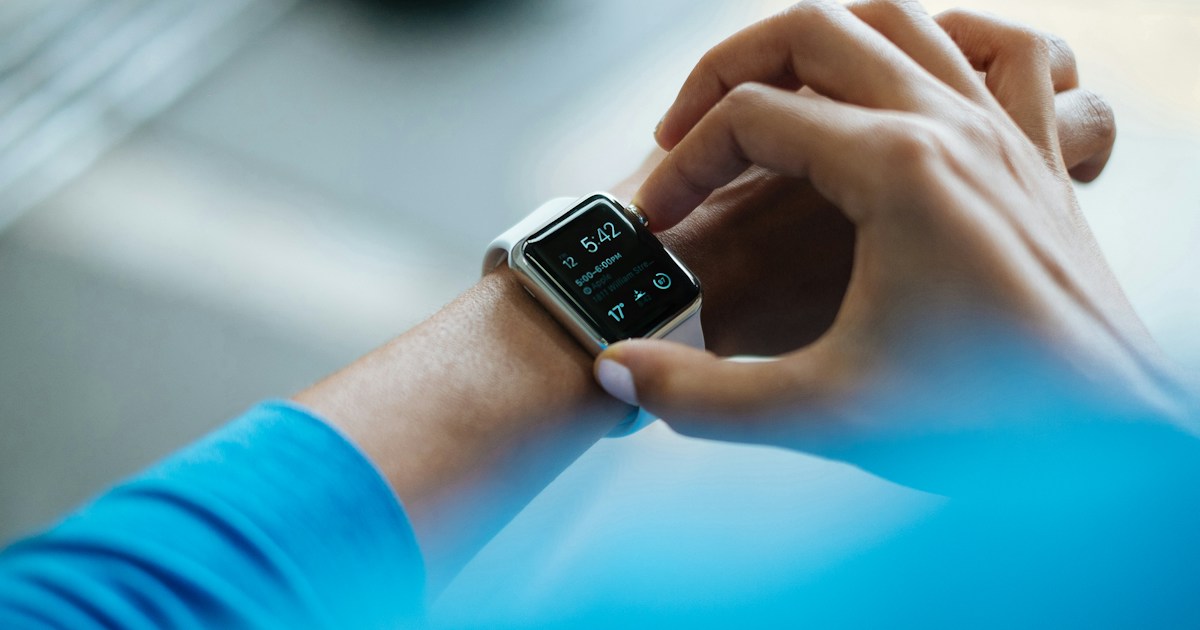
Featured photo: Luke Chesser on Unsplash. Illustrative image.
Related Reading
- Smart Rings for Older Adults, if you want sleep tracking without wearing a watch to bed
- Best Fitness Trackers for Active Adults Over 50
- Smartwatches With Fall Detection
- Best Sleep Trackers for Older Adults
- Heart Rate Monitors for Walking and Cardiac Fitness
- Browse Active Aging Wearables Products



6 Comments
Comments are closed.