Best Fitness Trackers for Active Adults Over 50
The best fitness trackers for adults over 50 do not need to be expensive or complicated. For many active adults, a lightweight tracker with clear information, dependable battery life, and useful activity tracking is a better everyday choice than a full smartwatch.
Marketing pages often emphasize long lists of features. Daily use is different. If a tracker feels uncomfortable, is difficult to read, or constantly needs charging, it may eventually end up in a drawer.
This guide focuses on the features that matter most after 50: comfort, screen readability, battery life, phone compatibility, easy-to-understand apps, and health information you may actually use.
Affiliate disclosure: This article contains affiliate links. As an Amazon Associate I earn from qualifying purchases. This does not affect the price you pay. Read our full affiliate disclosure.
Fitness trackers provide general wellness information. They cannot diagnose a medical condition or replace advice from your doctor.
What Matters Most in a Fitness Tracker After 50
Before choosing a tracker, think about which of these features matter most to you.
- Screen readability: Look for a bright display, good contrast, and numbers that you can read without struggling. A compact tracker may be comfortable, but its screen may also be smaller.
- Battery life: A tracker that lasts several days is easier to maintain than one that needs daily charging.
- Comfort: A lightweight band is especially important if you plan to wear the tracker while sleeping.
- Useful health information: Heart rate, resting heart-rate trends, sleep tracking, activity reminders, and blood-oxygen estimates may be helpful when their limitations are understood.
- Simple app: The phone app should make it easy to find steps, sleep, heart rate, and activity history.
- Phone compatibility: Confirm that the tracker supports your phone and operating-system version before ordering.
- Water resistance: This matters if you want to shower, swim, or regularly wash dishes while wearing it.
- Subscription requirements: Some companies reserve advanced information and coaching features for paid memberships.
If fall detection, cellular calling, Emergency SOS, or caregiver alerts are your main priorities, a basic fitness band is probably not the right device. See our guide to smartwatches with fall detection for caregivers instead.
How These Fitness Trackers Were Chosen
These recommendations are based on current manufacturer specifications, phone requirements, advertised battery life, GPS capabilities, health and fitness features, water-resistance ratings, app requirements, and suitability for active adults over 50.
Manufacturer battery estimates are maximum claims. Actual battery life depends on screen settings, GPS use, notifications, health tracking, temperature, and other factors.
Fitness trackers also cannot guarantee perfectly accurate step, sleep, heart-rate, or blood-oxygen measurements. They are best used for following general patterns over time.
Quick Comparison
| Fitness tracker | Best for | GPS | Advertised battery life | Main consideration |
|---|---|---|---|---|
| Fitbit Inspire 3 | Simple and affordable everyday tracking | Uses phone GPS | Up to 10 days | Bright but very small screen |
| Fitbit Charge 6 | More workout features and built-in GPS | Built in | Up to 7 days | More expensive and still has a slim display |
| Garmin vívosmart 5 | Garmin health information in a simple band | Uses phone GPS | Up to 7 days | Monochrome screen and no built-in GPS |
1. Best Simple Everyday Tracker: Fitbit Inspire 3
The Fitbit Inspire 3 is a good starting choice for adults who want to monitor steps, heart rate, sleep, and daily activity without wearing a large smartwatch.
Why It May Be a Good Choice
- Bright color touchscreen
- Lightweight design that is comfortable for many people
- Up to 10 days of advertised battery life
- Continuous heart-rate tracking
- Sleep tracking and Sleep Score
- Stress-management features
- Connected GPS using a compatible phone
- Water resistant to 50 meters
- Small and large bands included with the current Amazon listing
The long battery life is one of its biggest advantages. It also has fewer distractions than a full smartwatch.
Things to Consider
- The screen is small and may be difficult for some people to read.
- It does not have built-in GPS. You need your phone for mapped walks, runs, and bike rides.
- A compatible phone and Google account are needed for setup and synchronization.
- Some coaching and advanced information require an optional Google Health Premium membership.
- It does not provide automatic fall detection, cellular calling, or medical-alert monitoring.
The Inspire 3 works best for someone who values comfort and simplicity more than a large display.
Check the current Fitbit Inspire 3 price on Amazon
2. Best Tracker With Built-In GPS: Fitbit Charge 6
The Fitbit Charge 6 is a better choice for walkers, runners, cyclists, and gym users who want more exercise features than the Inspire 3 provides.
Why It May Be Worth the Additional Cost
- Built-in GPS for recording pace and distance without carrying your phone
- More than 40 exercise modes
- Up to 7 days of advertised battery life
- Bright color touchscreen with a physical navigation button
- Continuous heart-rate and resting heart-rate tracking
- Sleep tracking and Sleep Score
- High and low heart-rate notifications
- Compatible ECG app where supported
- Ability to display heart rate on certain compatible exercise machines
- Water resistant to 50 meters
- Google Maps, Google Wallet, and phone notifications
The Charge 6 provides significantly more workout information than the Inspire 3 while remaining smaller than most smartwatches.
Things to Consider
- The display is larger than the Inspire 3’s, but it is still a narrow fitness-band screen.
- Frequent GPS use and the always-on display can shorten battery life.
- Google Maps, notifications, synchronization, and several other features require a nearby compatible phone.
- Certain coaching and advanced insights require Google Health Premium.
- It does not provide automatic fall detection or cellular emergency calling.
The Charge 6 is the strongest choice among these three for someone who regularly walks or exercises outdoors and wants built-in GPS.
Check the current Fitbit Charge 6 price on Amazon
3. Best Garmin Fitness Band: Garmin vívosmart 5
The Garmin vívosmart 5 is a slim fitness tracker for people who prefer Garmin’s health and activity information without wearing a large Garmin watch.
Why Some Adults Over 50 May Prefer It
- Up to 7 days of advertised battery life
- Heart-rate, sleep, stress, respiration, and activity tracking
- Garmin Body Battery energy estimates
- Pulse Ox readings where available
- Physical button combined with touchscreen controls
- 5 ATM water rating, making it suitable for swimming and showering when used as directed
- Connected GPS using a compatible phone
- Standard Garmin Connect health and activity information without requiring a paid membership
Garmin’s Body Battery feature combines activity, stress, sleep, and heart-rate information to estimate your available energy. It is intended as a wellness estimate, not a medical measurement.
Things to Consider
- The monochrome display is less colorful than the Fitbit screens.
- It does not have built-in GPS, so outdoor route mapping requires a connected phone.
- Garmin now offers an optional Garmin Connect+ membership for additional premium features. Standard health statistics and activity details remain available without it.
- Garmin Incident Detection works only during certain activities and requires a paired phone with network coverage. It should not be confused with all-day fall detection or a monitored medical-alert system.
The vívosmart 5 is best for someone who already likes Garmin Connect or wants Garmin’s health information in a small, lightweight band.
Check the current Garmin vívosmart 5 price on Amazon
When a Smartwatch Is the Better Choice
A fitness tracker is mainly designed to monitor activity and general wellness. A smartwatch may be the better choice if you need:
- Automatic fall detection
- Emergency SOS
- Cellular calling without a phone nearby
- A larger screen
- On-wrist texting and phone apps
- Navigation or more advanced safety features
If you want a larger display, more safety features, and more on-wrist functions, see our Best Smartwatches for Older Adults guide.
Apple Watch models are usually the first place to look for someone who uses an iPhone. Samsung Galaxy Watch and Google Pixel Watch models may be more suitable for Android users.
Phone requirements, safety features, cellular plans, and regional availability vary. Always verify these details before buying.
For someone who needs dependable emergency monitoring, a purpose-built medical-alert wearable may be more appropriate than either a fitness tracker or regular smartwatch.
Fitness Tracker vs. Smartwatch vs. Medical-Alert Wearable
| Feature | Fitness tracker | Smartwatch | Medical-alert wearable |
|---|---|---|---|
| Main purpose | Activity, heart rate, and sleep | Apps, communication, health, and sometimes safety | Emergency assistance |
| Battery life | Usually several days | Roughly one day to more than a week, depending on model | Varies by device |
| Fall detection | Uncommon or limited | Available on certain models | Often a primary feature |
| Calling | Usually unavailable | Available on certain models | Often available for emergencies |
| Monthly cost | Usually optional for premium insights | Cellular service or apps may cost extra | Monitoring plan often required |
| Best for | Building everyday activity habits | More features and a larger screen | Safety and emergency help |
Some families use a fitness tracker for daily activity and a separate medical-alert device for safety.
Buying Tips Before You Order
1. Check Your Phone First
As of August 2026, the Google Health app used with Fitbit devices requires:
- Android 11 or newer, or
- iOS 16.4 or newer
- A Google account
- Internet access for setup and synchronization
Phone requirements can change, so verify them again before buying.
2. Measure Your Wrist
Check the manufacturer’s band-size range. A tracker that is too tight may irritate your skin, while one that is too loose may produce less consistent heart-rate readings.
3. Look at the Screen in Person When Possible
The Inspire 3, Charge 6, and vívosmart 5 all use smaller displays than full smartwatches. If you have trouble reading small print, visit a store and look at the screen before ordering.
4. Decide Whether You Need Built-In GPS
If you normally carry your phone while walking, connected GPS may be sufficient. If you want to leave your phone at home and still record pace and distance, consider a tracker with built-in GPS, such as the Charge 6.
5. Consider Your Charging Routine
Do not rely only on the maximum battery claim. GPS, an always-on display, frequent notifications, and continuous health features can reduce battery life.
Choose a regular time to charge the tracker when you normally remove it, such as while showering or sitting down for breakfast.
6. Check What Requires a Subscription
Both Google and Garmin offer optional paid memberships. Confirm which features are included with the device and which require an ongoing payment.
You should not have to purchase a subscription simply to view ordinary steps, heart rate, sleep, and recorded activities, but premium coaching and additional analysis may cost extra.
7. Understand the Water Rating
Water resistant does not mean waterproof under every condition. Hot water, soap, high-pressure water, diving, and damaged seals can affect a device.
Follow the manufacturer’s instructions and dry the tracker and your skin after swimming or showering.
8. Treat Health Measurements as Estimates
Wrist-based heart rate, sleep stages, calorie estimates, Pulse Ox, stress scores, and energy scores can be useful for observing patterns. They should not be used to diagnose illness or adjust medication without medical guidance.
Unexpected or concerning readings should be discussed with a healthcare professional.
9. Check the Seller and Return Policy
Look at who is selling and shipping the product, whether the manufacturer’s warranty applies, and how long you have to return it.
Recent verified-purchase reviews can also reveal recurring problems with batteries, bands, synchronization, or customer support.
10. Watch for Skin Irritation
Keep the tracker and your wrist clean and dry, and avoid wearing the band excessively tight. Consider a different band material if the original band irritates your skin.
Remove the tracker if irritation develops. Seek medical advice if a rash is severe or does not improve.
Who Should Skip a Basic Fitness Tracker?
A fitness band may not be sufficient if you need:
- Automatic fall detection with emergency alerts
- Cellular calling when your phone is unavailable
- A large screen with adjustable text
- A caregiver-managed safety system
- Professional emergency monitoring
- Reliable two-way emergency communication
In those situations, compare safety-focused smartwatches and monitored medical-alert wearables instead.
Common Mistakes That Waste Money
- Buying the most expensive watch without knowing which features you will use
- Choosing a screen that is too small to read comfortably
- Ignoring phone and operating-system requirements
- Assuming every GPS tracker works without a phone
- Forgetting to investigate optional subscriptions
- Expecting maximum advertised battery life under every condition
- Confusing Garmin Incident Detection with full-time fall detection
- Treating heart-rate, sleep, or blood-oxygen readings as a medical diagnosis
The goal is to find a tracker you can comfortably wear and understand. Consistency is more useful than complexity.
Bottom Line
The best fitness tracker for an adult over 50 is one that fits comfortably, works with their phone, has a readable screen, and does not require more maintenance than they are willing to provide.
The Fitbit Inspire 3 is the best simple and affordable choice, but its small screen will not suit everyone.
The Fitbit Charge 6 is the best of these three for built-in GPS and more detailed exercise tracking.
The Garmin vívosmart 5 is a good choice for people who prefer Garmin’s health information and Body Battery feature, provided they understand that it requires a phone for GPS.
If fall detection, emergency calling, or caregiver support is the main reason for buying a wearable, choose a suitable smartwatch or medical-alert device instead of a basic fitness band.
Product features, compatibility requirements, battery estimates, promotions, and retailer listings can change. Verify important details with the manufacturer and retailer before ordering. This article provides general information and is not medical advice.
If overnight tracking matters to you, compare comfort, charging, and subscription requirements in our sleep trackers for older adults guide.
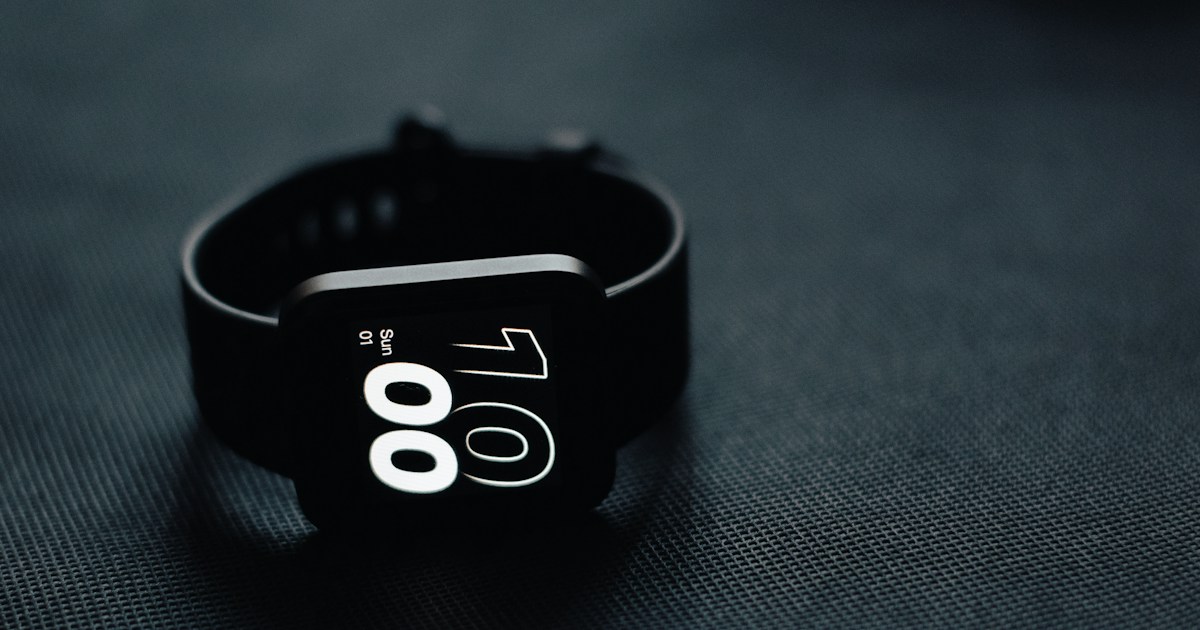
Featured photo: Indra Projects on Unsplash. Illustrative image.
Related Reading
- Smartwatches With Fall Detection: What Caregivers Should Know
- Best Smartwatches for Older Adults
- Heart Rate Monitors for Walking and Cardiac Fitness
- Browse Active Aging Wearables Products
Manufacturer Sources
For current specifications, compatibility, and feature limitations, consult the manufacturer pages below. These sources support the product information; this guide is not a report of hands-on testing.

10 Comments
Comments are closed.