Smartwatches With Fall Detection: What Caregivers Should Know
Affiliate Disclosure: This page contains affiliate links. If you purchase through these links, I may earn a small commission at no extra cost to you. As an Amazon Associate, I earn from qualifying purchases. This helps support Active Aging Wearables and allows me to keep providing free guides for older adults and caregivers. I only recommend products I personally believe in and would use myself. Thank you for your support! Read our full affiliate disclosure.
The best smartwatches with fall detection can add an extra layer of safety for parents, grandparents, and other older adults who still live independently. If a supported watch detects what appears to be a hard fall, it may ask whether the wearer is okay and try to call for help when there is no response.
That can be valuable when someone cannot reach a phone. However, fall detection is not perfect. False alarms and missed falls can both happen, and the feature cannot help if the watch is not being worn, has a dead battery, or lacks the connection it needs.
Fall detection is a helpful tool. It is not a substitute for medical care, home-safety improvements, regular check-ins, or a professionally monitored medical-alert service when one is needed.
This guide explains how smartwatch fall detection usually works, what caregivers should check before buying, how to set it up, and when a medical-alert product may be the better choice.
This article provides general information and is not medical advice.
Quick Picks: Smartwatches With Fall Detection
| Watch | Who should compare it? | Shopping link |
|---|---|---|
| Apple Watch SE 3 | Compatible iPhone users who want a smartwatch with safety features. | Compare Apple Watch SE 3 options on Amazon |
| Samsung Galaxy Watch9 | Compatible Android users who want a smartwatch with configurable safety features. | Compare Galaxy Watch9 options on Amazon |
| SecuLife Medical Alert Wearable | Families who want a wrist-worn alert device focused on emergency help rather than apps. | View SecuLife Medical Alert on Amazon |
Before buying, confirm phone compatibility, fall-detection settings, and the connection required to call for help. No watch detects every fall.
What Does Smartwatch Fall Detection Do?
Modern smartwatches use motion sensors and software to look for movement patterns that resemble a hard fall. Depending on the watch and its settings, a detected fall may cause the device to:
- Tap or vibrate on the wearer’s wrist
- Sound an alarm
- Display a message asking whether the wearer is okay
- Start a countdown when there is no response
- Call emergency services, notify emergency contacts, or do both
- Share the wearer’s location when location access is enabled and available
The exact response depends on the brand, model, software version, country, settings, network connection, and whether the watch has cellular service or a compatible phone nearby.
Apple explains that when a supported Apple Watch detects a hard fall and the wearer remains immobile for about one minute, it begins a 30-second countdown. If the wearer still does not respond, the watch attempts to contact emergency services and then notifies emergency contacts. A cellular, Wi-Fi Calling, or supported satellite connection is required for the emergency call.
For step-by-step instructions on turning on fall detection, Emergency SOS, and Medical ID, see our Apple Watch setup guide for seniors.
Samsung allows the wearer to choose whether Hard Fall Detection should work always, during physical activity, or only during workouts. Samsung’s feature is not turned on by default and must be enabled in the Galaxy Wearable app.
No watch detects every fall. A slow slide from a chair, a soft collapse, or another unusual fall may not create the motion pattern the watch expects. Vigorous exercise or another hard movement may occasionally cause a false alarm.
Questions to Answer Before You Buy
Before comparing prices, answer these questions:
- Which phone does the wearer use? Apple Watch is made for iPhone. Samsung Galaxy Watch is designed for compatible Android phones and often works best with Samsung Galaxy phones.
- Will the wearer keep the watch on? A watch left on a dresser cannot detect a fall.
- Can the wearer manage charging? Shorter-battery smartwatches may need charging every day or every other day.
- Does help need to work without the phone nearby? If so, compare cellular or LTE models and confirm carrier support and monthly cost.
- Who should receive an alert? Some devices contact emergency services, some notify family, and professionally monitored products connect to a response center.
- Is the display easy to read? Check text size, contrast, speaker volume, vibration strength, and button placement.
- Can the wearer operate SOS manually? Automatic detection is only one part of the safety system.
- Will the watch be worn overnight or in the bathroom? Think about the person’s higher-risk times and how charging will fit into the routine.
- Is the main goal a smartwatch or emergency protection? If emergency response is the main job, compare medical-alert systems before buying a consumer smartwatch.
Caregiver Feature Checklist
Fall Detection
Confirm that the exact model supports fall detection. Do not assume every watch from the same brand has the same safety features.
Emergency SOS
SOS allows the wearer to call for help manually when they are able to press or hold the required button.
Speaker and Microphone
A clear speaker and microphone can make it easier to communicate with a dispatcher, family member, or monitoring-center operator.
Location Sharing
Location can help emergency contacts or responders find the wearer, but it must be permitted, configured, and able to obtain a usable signal.
Battery Life and Charging
Advertised battery life is an estimate. Cellular service, GPS, an always-on display, workouts, and frequent notifications can shorten it.
Phone, Wi-Fi, Cellular, or Monitoring Connection
Know exactly how the watch reaches help. A Bluetooth model may depend on a nearby phone. A cellular model may need its own carrier plan. A medical-alert watch may use the monitoring company’s cellular service and monthly plan.
Emergency Contacts and Medical Information
Add current emergency contacts and complete the available Medical ID or medical-information fields. Check these details periodically so old telephone numbers and outdated information do not remain in the device.
Water Resistance
Because bathrooms can be high-risk areas, check whether the device is suitable for shower use. Water resistance varies, and water-resistant does not mean safe for every type of water exposure. Follow the manufacturer’s instructions.
Smartwatch vs. Medical-Alert System
| Feature | Consumer smartwatch | Medical-alert wearable |
|---|---|---|
| Main purpose | Apps, calls, activity, health information, and some safety tools | Emergency assistance and monitoring |
| Automatic fall detection | Available on certain models | Often available as an option |
| Emergency destination | May call emergency services and/or contacts | Usually connects to a monitoring center |
| Phone-free use | Usually requires a cellular model, plan, or another supported connection | Often uses the provider’s cellular service |
| Two-way voice | Available on many models | Common on mobile watches and help buttons |
| Monthly cost | Possible cellular charge | Monitoring fee is usually required |
| Best fit | Someone who wants and will use a full smartwatch | Someone whose main priority is emergency response |
Consumer smartwatches such as Apple Watch and Samsung Galaxy Watch can be good choices for people who already want a daily smartwatch and will reliably wear and charge it.
Dedicated medical-alert systems are designed around emergency help. Many include a help button, professional monitoring, location services, and optional automatic fall detection. Some families use a smartwatch alone, while others prefer a monitored alert device or use both.
Current Products to Compare
Product features change with new models and software. Verify important details on the manufacturer’s website before ordering.
1. Apple Watch SE 3: A Strong Choice for iPhone Users
The Apple Watch SE 3 is a good starting point for an older adult who already has a compatible iPhone and wants smartwatch features along with Fall Detection and Emergency SOS.
Apple Watch SE 3 includes:
- Fall Detection
- Emergency SOS
- A speaker and microphone for calls
- Built-in GPS
- Optional cellular connectivity
- Heart-rate, activity, and sleep tracking
- Accessibility settings and adjustable text
- Up to 18 hours of advertised normal battery life
- Fast charging
Apple says Fall Detection turns on automatically for users age 55 or older when their correct age has been entered during setup or in the Health app. It is still important to confirm the setting. Wrist Detection must remain on for the watch to automatically attempt an emergency call after a detected hard fall.
Apple Watch SE 3 requires an iPhone 11 or later, including iPhone SE (2nd generation or later). Apple currently lists iOS 27 or later on its product page, so update the iPhone to the latest version of iOS before setting up the watch. A GPS-only watch normally relies on a nearby iPhone or suitable Wi-Fi Calling connection for emergency communication. A GPS + Cellular model provides more independence but costs more and may require a carrier plan.
The main drawback is charging. Apple advertises up to 18 hours of normal use, although quick charging can make a short daytime charging routine practical.
Check current Apple Watch SE 3 options on Amazon
2. Samsung Galaxy Watch9: A Strong Choice for Android Users
The Samsung Galaxy Watch9 is a current option for Android users, particularly people who already use a Samsung Galaxy phone.
Galaxy Watch9 offers:
- Hard Fall Detection
- Emergency calling and contact options when configured
- 40mm and 44mm case sizes
- Bright sapphire-crystal display rated up to 3,000 nits
- Built-in GPS
- Speaker and microphone
- Heart-rate, activity, and sleep features
- Bluetooth and LTE versions
Samsung Hard Fall Detection is not enabled by default. It must be turned on in the Galaxy Wearable app. The wearer or caregiver should also add emergency contacts, choose when the watch should detect falls, select the emergency-call option, and decide whether location information should be shared.
A network connection is required to notify an emergency contact. LTE stand-alone service is available only on compatible LTE models, requires initial pairing with an eligible Android phone, and needs a qualifying wireless plan. Carrier support and stand-alone features vary.
Some Samsung health features may require a compatible Samsung Galaxy phone, Samsung account, current software, or regional availability. Confirm compatibility with the wearer’s exact phone before buying.
Check current Samsung Galaxy Watch9 options on Amazon
3. Medical-Alert Watches and Wearable Help Buttons
If emergency response matters more than apps, compare monitored medical-alert watches and wearable help buttons.
Look carefully at:
- Equipment or activation cost
- Monthly monitoring charge
- Extra cost for automatic fall detection
- Home-only versus on-the-go protection
- Coverage in the wearer’s area
- Battery and charging routine
- Water resistance
- Two-way voice quality
- Caregiver notifications
- Cancellation and return policies
For example, LifeFone’s Safe Watch Active is a GPS-based medical-alert watch that connects to a response center and offers optional fall detection. LifeFone states that its fall detection cannot recognize 100% of falls and advises users to press the help button whenever they are able.
Two options available on Amazon to compare:
- SecuLife Medical Alert Wearable: A wrist-worn device that can send alerts to selected family contacts. Depending on the model and service plan, features may include automatic fall detection, an SOS button, GPS location, and two-way calling. A monthly cellular plan may be required. View SecuLife Medical Alert on Amazon
- Freedom Alert Landline Personal Emergency Device: A home-based option that uses a landline to connect the wearer with selected family, friends, or emergency services, with no monitoring center or monthly monitoring fee. It does not offer automatic fall detection, so the wearer must press the button. View Freedom Alert on Amazon
Plans, devices, and prices change, so compare the current terms before signing up. See the Active Aging Wearables products page for more medical-alert options to investigate.
Does the Verizon Care Smart Watch Have Fall Detection?
Short answer: No. The Verizon Care Smart watch itself does not include automatic fall detection. This is a common point of confusion, and some families have been told otherwise at the time of purchase.
The Care Smart watch is a simplified smartwatch designed for older adults. It focuses on communication and location features, such as two-way calling, messaging with trusted contacts, an SOS function, and location sharing through the Care Smart app, which caregivers use to manage contacts and settings.
Where the Fall Detection Confusion Comes From
Verizon offers a separate service called Care Smart with Get Help – Professional Monitoring. That service does support fall detection with 24/7 monitoring, but only when it is used with a compatible Apple Watch, Samsung Galaxy Watch, or Google Pixel Watch. It does not add fall detection to the Verizon-branded Care Smart watch.
In other words, “Verizon Care Smart” can refer to two different things:
| Care Smart watch | Care Smart with Get Help – Professional Monitoring | |
|---|---|---|
| What it is | Verizon’s own senior-focused watch | A monitoring service used with other smartwatches |
| Automatic fall detection | Not available | Supported on compatible Apple, Samsung, and Google Pixel watches |
| Who responds | Trusted contacts | A 24/7 monitoring center that can contact the wearer and call 911 if needed |
What This Means for Caregivers
If automatic fall detection is a priority, the Care Smart watch on its own is not the right fit. Better options to compare include:
- An Apple Watch or Samsung Galaxy Watch with fall detection properly enabled (see the setup steps below)
- One of those watches paired with Verizon’s professional monitoring service, if you are a Verizon customer and want a monitoring center involved
- A dedicated medical-alert watch or help button with optional fall detection
Verizon plans, perks, device compatibility, and monthly pricing change periodically. Confirm current details directly with Verizon before purchasing, and ask specifically whether the exact device you are buying includes automatic fall detection.
Setup Tips for Families
Complete the Safety Setup on Day One
Add emergency contacts, Medical ID or medical information, and location permissions before relying on the watch.
For Apple Watch, confirm the wearer’s age, Fall Detection setting, Wrist Detection, emergency contacts, and Medical ID.
For Samsung Galaxy Watch, manually turn on Hard Fall Detection and choose when it should operate. Add emergency contacts and review the emergency-call and location-sharing choices.
Learn the Manual SOS Action
The wearer should know which button to press or hold and what countdown, sound, or screen will appear. Follow the manufacturer’s practice instructions and avoid placing an unnecessary emergency call.
Do not deliberately stage a fall to test automatic detection.
Create a Charging Routine
Place the charger where it will be used. Charging while showering, eating breakfast, watching television, or sitting at a desk may work better than charging overnight when sleep tracking or nighttime protection is wanted.
A simple charging stand keeps the watch in one visible spot, which makes the routine easier to remember. Compare Apple Watch charging stands on Amazon. For other brands, confirm the stand fits the exact model’s charger before buying.
Confirm the Connection Path
Make sure everyone understands whether the watch needs:
- A nearby phone
- Wi-Fi Calling
- An LTE or cellular watch plan
- The medical-alert company’s cellular and monitoring service
Check coverage in the home and in places the wearer visits regularly.
Review Settings After Updates
Software updates, a new phone, a new carrier, or changed permissions can affect safety functions. Recheck contacts, location access, and fall-detection settings periodically.
Keep Human and Home-Safety Measures in Place
Technology should be combined with regular contact and practical fall prevention. The CDC recommends reducing tripping hazards, improving lighting, installing bathroom grab bars, and using handrails on stairs.
What Fall Detection Cannot Replace
Fall detection cannot replace:
- A complete home-safety plan
- Medical evaluation of dizziness, weakness, poor balance, or repeated falls
- Medication review with a qualified healthcare professional
- Strength and balance work recommended for the individual
- Regular human check-ins
- Guaranteed detection of every fall
For practical strength and balance ideas, see our How to Maintain Muscle After 60 guide.
If falls are frequent, new, or unexplained, speak with a healthcare professional. The cause may involve medications, vision, balance, muscle weakness, blood pressure, or another medical condition. A wearable may help summon assistance, but it does not address the reason the falls are happening.
Common Caregiver Mistakes
- Buying a watch the older adult does not want to wear
- Choosing the wrong watch for the person’s phone
- Assuming Fall Detection is already enabled
- Forgetting to add emergency contacts
- Leaving Medical ID or medical information incomplete
- Assuming every model works without a nearby phone
- Buying LTE without checking the carrier and monthly fee
- Ignoring battery and charging habits
- Expecting slow or soft falls to be detected reliably
- Treating a smartwatch like a professionally monitored medical-alert service
- Depending on technology while ignoring home hazards and recurring falls
Bottom Line
Smartwatches with fall detection can provide useful backup when a person lives independently and cannot reach a phone after a hard fall. They work best when the wearer keeps the watch on and charged, the family understands how it reaches help, and every safety setting is properly configured.
Choose an Apple Watch when the wearer uses a compatible iPhone and wants a full smartwatch. Choose a Samsung Galaxy Watch when the wearer uses a compatible Android phone and the family is prepared to enable and configure Hard Fall Detection. Compare a monitored medical-alert product when reliable emergency response is the device’s main job.
Whichever path you choose, remember that no fall-detection system is guaranteed to recognize every fall. Keep regular check-ins, medical care, and home-safety improvements in place.
Product features, compatibility, cellular requirements, monitoring plans, and prices can change. Verify important information with the manufacturer, carrier, monitoring provider, and retailer before purchasing. This article provides general information and is not medical advice.
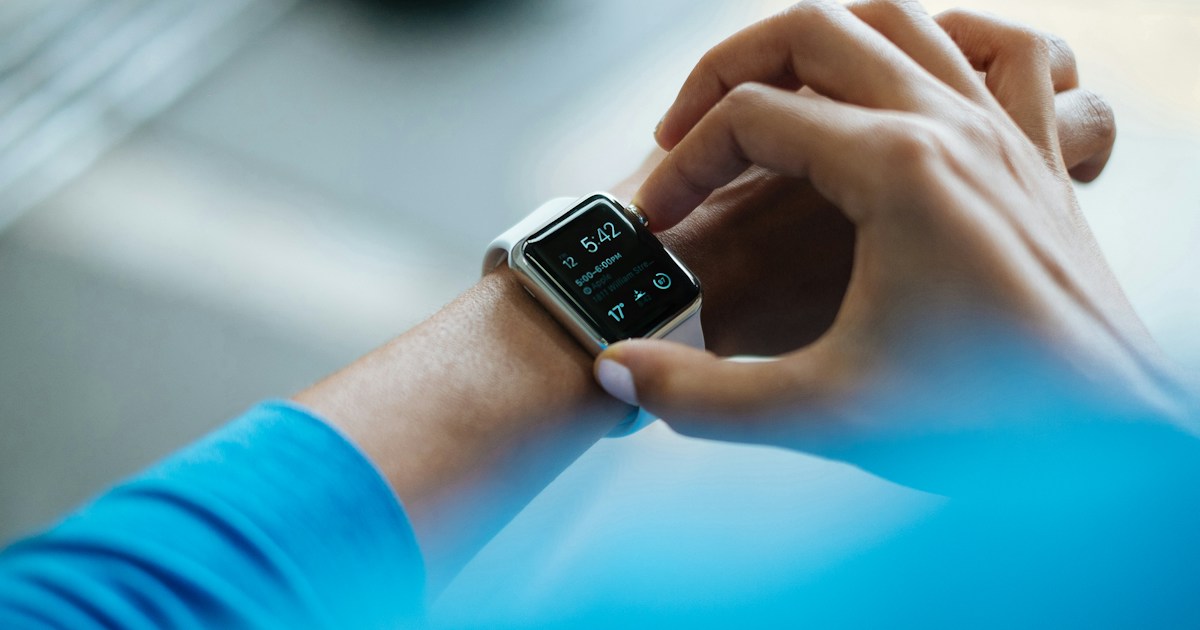
Featured photo: Luke Chesser on Unsplash. Illustrative image. The pictured watch is illustrative and is not a fall-detection product recommendation.
Related Reading
- Best Smartwatches for Older Adults
- Best Fitness Trackers for Active Adults Over 50
- Heart Rate Monitors for Walking and Cardiac Fitness
- Browse Active Aging Wearables Products
Sources Checked
- Apple: Use Fall Detection with Apple Watch
- Apple Watch SE 3 technical specifications
- Samsung: Use the Detect fall feature
- Samsung Galaxy Watch9
- CDC: Information for older adults
- National Institute on Aging: Falls and fractures in older adults
- Verizon Care Smart watch
- Verizon Smartwatch Data & Safety perk FAQs
4 Comments
Comments are closed.